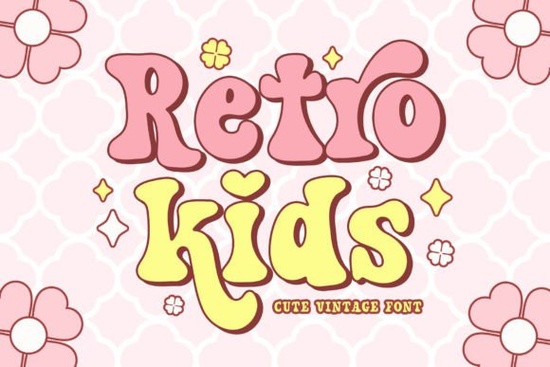
If you're looking for a friendly, nostalgic typeface that works just as well on a first-day-of-school banner as it does on a birthday sticker or sublimation t-shirt, the Retro Kids Font is a thoughtful choice. It’s not overly loud or cartoonish instead, it balances vintage charm with gentle playfulness, thanks to its retro serif structure and subtle groovy details. Designed with real creative workflows in mind, it includes alternate characters for both uppercase and lowercase letters, giving you flexibility without needing extra fonts or manual tweaks.
What kind of projects does Retro Kids Font suit best?
This font shines where warmth and personality matter more than strict formality. Think classroom posters, handmade greeting cards, summer camp flyers, or small-batch kids’ apparel. Its rhythm feels approachable, not rigid perfect when you want your design to feel hand-crafted, even if it’s digital. Because it’s a serif (not a script or sans), it holds up well at smaller sizes like on tags, labels, or printable party favors while still keeping that cheerful, back-to-school energy.
It also pairs nicely with simpler, bolder fonts for contrast. For example, try layering Grinched 20 for headlines and Retro Kids for body text or accents. Or combine it with Chunky Texture for a tactile, crafty feel great for scrapbooking or DIY wall art.
How does it compare to other retro-style fonts?
Unlike many retro fonts that lean heavily into 70s psychedelia or 50s diner kitsch, Retro Kids keeps things light and inclusive. It doesn’t rely on exaggerated swashes or tight spacing that can trip up beginners. That makes it especially helpful if you’re new to typography or designing for print-on-demand platforms where legibility and file compatibility matter.
For contrast, Retro Script offers more flow and movement ideal for invitations or monograms while Welcome Christmas leans into seasonal warmth with thicker strokes and holiday-friendly flourishes. Retro Kids sits comfortably between them: structured enough for clarity, soft enough for charm.
What’s included and what do you actually get?
- Uppercase and lowercase letters with built-in alternates (no need to hunt through glyph panels)
- Clean OTF and TTF files compatible with Cricut Design Space, Silhouette Studio, Canva, Adobe apps, and most cutting machines
- No hidden fees or subscription requirements one-time purchase, lifetime access
- Commercial license included, so you can use it on products you sell including stickers, mugs, iron-ons, and digital downloads
You’ll also find that the spacing is thoughtfully adjusted no awkward gaps or cramped letters which saves time during layout. And because it’s optimized for both screen and print, what you see in your design app usually matches what prints out, even on home printers or sublimation presses.
Where do designers actually use this font?
We’ve seen it used across several practical contexts:
- Print-on-demand sellers adding it to nursery-themed wall art or teacher appreciation bundles
- Small businesses designing reusable lunchbox labels or classroom supply lists
- Crafters cutting vinyl for baby shower banners or laminating sticker sheets for school supplies
- Educators making editable Google Slides templates for student name tags or reading charts
One thing users consistently mention: it reads clearly even at 14–16pt rare for a decorative serif which helps when designing for younger audiences or accessibility-conscious projects.
A note about sourcing and licensing
All Creative Fabrica fonts, including Retro Kids Font, come with clear commercial rights. You don’t need to credit the designer unless required by your platform’s terms (e.g., some marketplaces ask for attribution in digital product descriptions). Just avoid redistributing the font file itself that’s standard across most reputable font shops.
For deeper inspiration, browse related fonts like Retro Kids Font alongside Retro Script or Grinched 20 to build cohesive font families for seasonal collections.
Before you download: Check your software version older versions of Silhouette Studio or Cricut Design Space may require installing the font manually via your system’s font folder first. Also, test a small cut or print before scaling up especially if using textured backgrounds or metallic substrates, where fine serifs can sometimes blur.
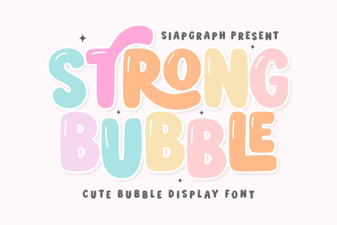 Bold Bubble Fonts for Creative Projects and Designs
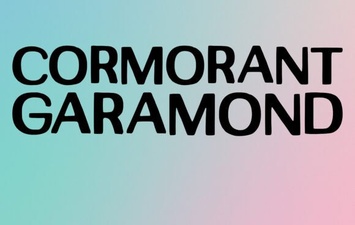 Cormorant Garamond for Elegant Web Typography
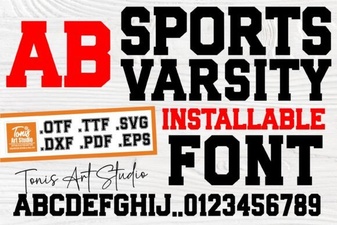 Modern Varsity Fonts for Sports Design Projects
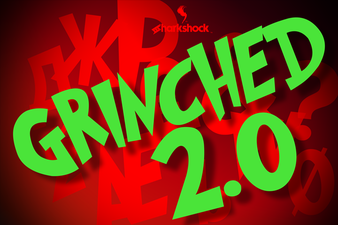 Free Grinched 2.0 Font for Holiday Designs
 Designer Fonts for Creative Projects
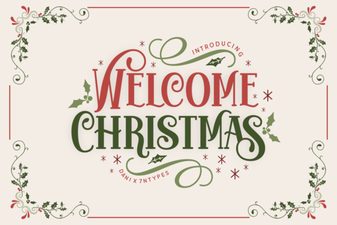 Welcome Christmas Fonts for Seasonal Designs